Team Communication
One-to-one and channel chat with presence and receipts, a social layer of Wall, events, groups and ideas, and one-click video meetings — all inside Work360.
- 14-day free trial
- No credit card
- One workspace, one bill
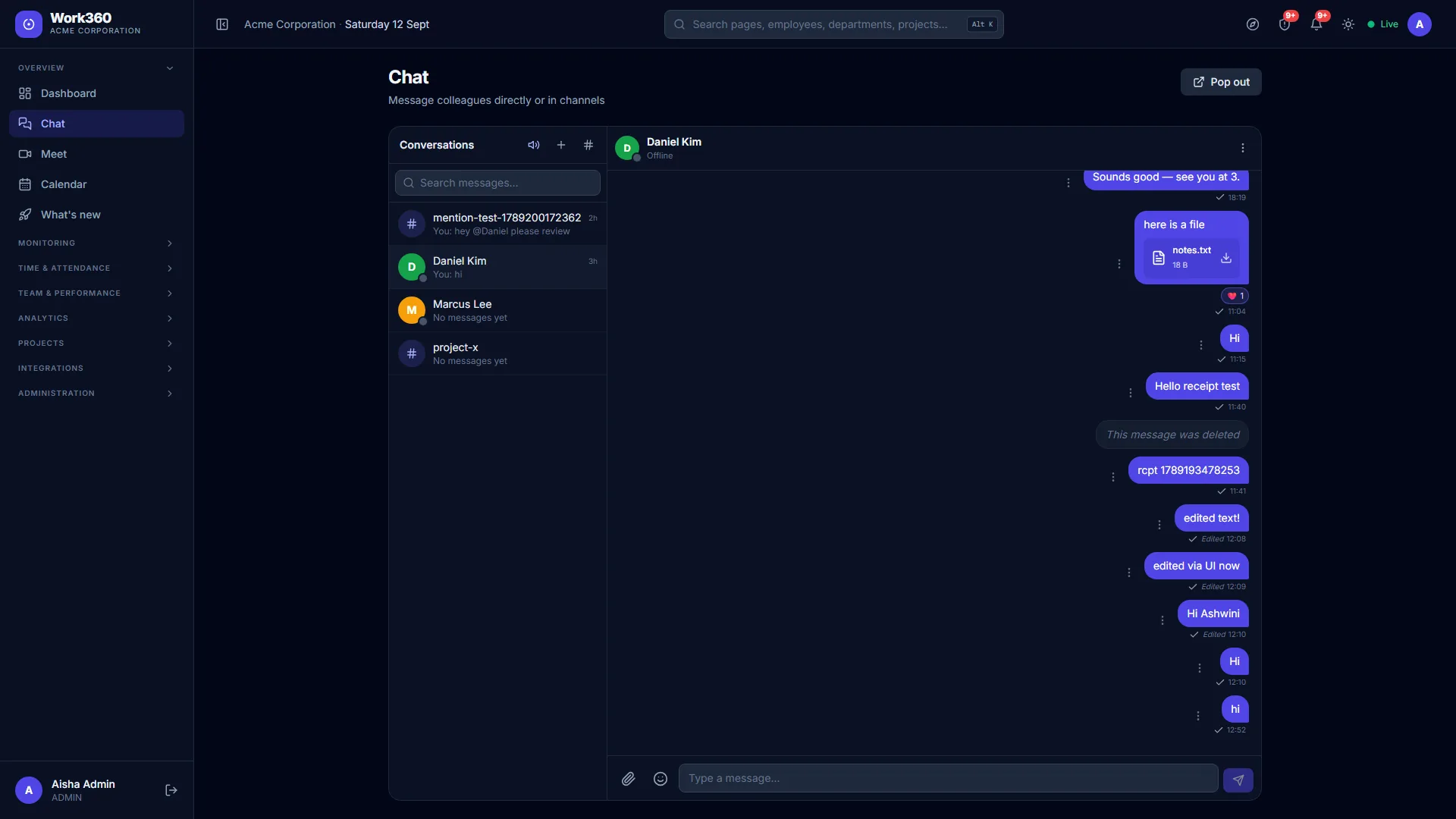
What Team Communication does for you
Team Communication brings messaging and meetings into the same workspace as everything else. One-to-one and channel chat with presence, delivered and read receipts, reactions, replies, edits and pins — without another tool to buy or manage.
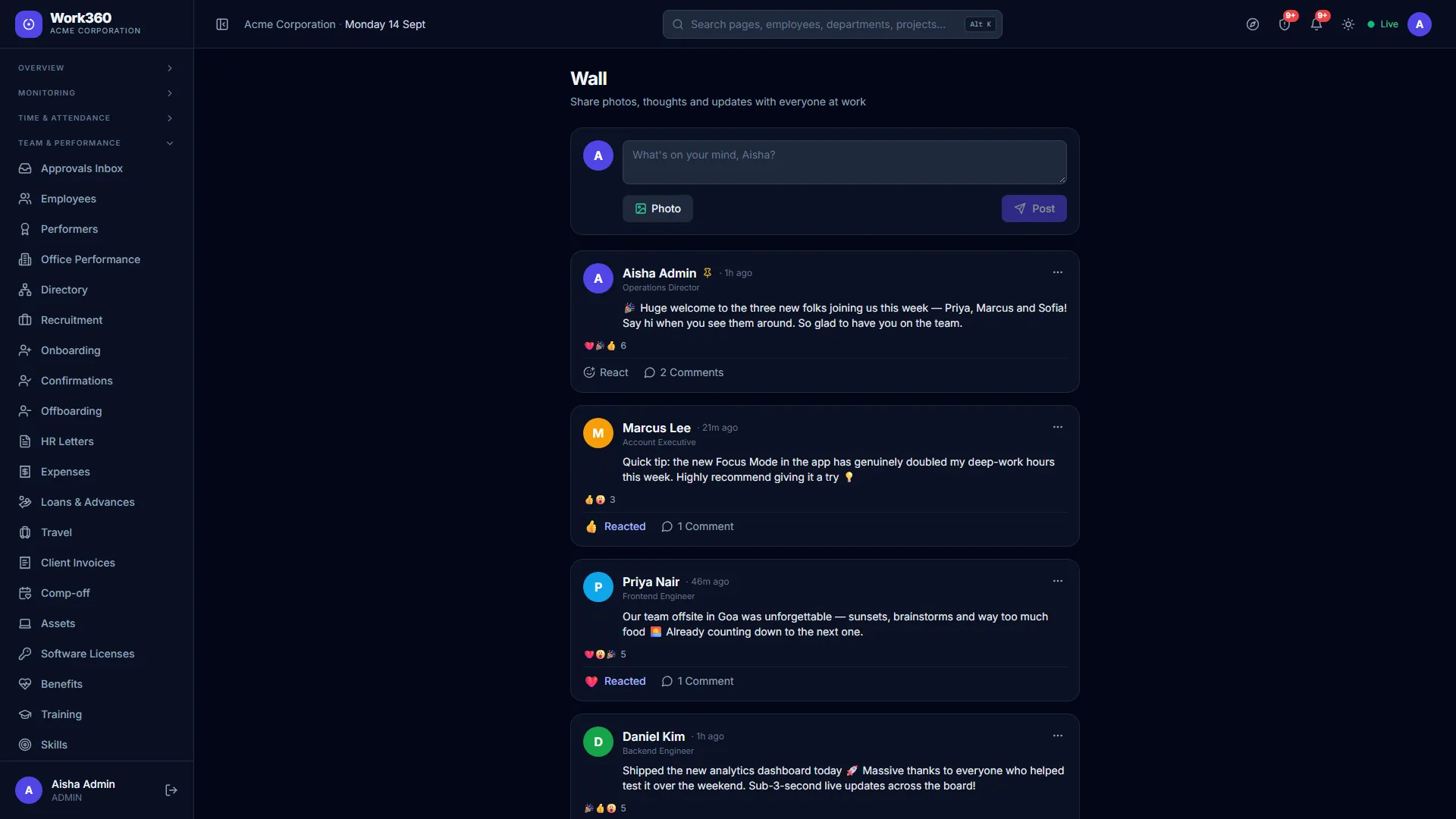
A social layer builds culture: a company Wall for announcements, events, interest groups, an ideas board and kudos, plus one-click video meetings so a conversation can become a call in a second.
- 1:1 & channel chat with presence
- Attachments, emojis & reactions
- Reply, forward, edit, delete & pin
- Company Wall, events & groups
- One-click video meetings
- #product-launch active42 messages today
- All-hands at 4 pmEvent · RSVP
- 18 kudos this weekRecognition
Everything in Team Communication
The building blocks of the module, and what each one gives you.
Chat
1:1 and channel messaging with presence.
- Delivered & read receipts
- Reply, forward, edit, pin
- Attachments & emoji
Video meetings
Jump from chat to a call in one click.
- One-click meetings
- No extra licences
- Secure rooms
Company Wall
Announcements everyone actually sees.
- Posts & comments
- Reactions
- Pinned updates
Groups & events
Communities and events inside Work360.
- Interest groups
- Event RSVPs
- Group discussions
Recognition
Kudos and celebrations that build culture.
- Peer kudos
- Birthdays & anniversaries
- Spotlight
Ideas board
Collect and vote on ideas from anyone.
- Submit ideas
- Upvotes
- Status updates
Up and running in four steps
- 1
Turn it on
Everyone in the directory can chat right away.
- 2
Create channels
Team, project and topic channels in a click.
- 3
Meet instantly
Any conversation can become a video call.
- 4
Build culture
Wall, events, groups, ideas and kudos.
Feature deep-dives
Open any feature for the full detail, with real product screens.
Who uses Comms
Talk where the work already lives.
- Channels & DMs
- One-click calls
Reach everyone and build culture.
- Company Wall
- Events & kudos
One less tool to buy and secure.
- Same directory & SSO
- No extra licences
Questions about Comms
Do we need Slack or Teams as well?
Many teams don’t: chat, channels, receipts, reactions and one-click video meetings cover day-to-day communication.
Who can people message?
Anyone in your Work360 directory, using the same accounts and SSO as the rest of the platform.
Are video meetings included?
Yes — one-click video meetings are built in, with no separate meeting licences.
Is it a separate module?
Team Communication is its own module that you can switch on for your workspace.
Explore other modules
Start with Comms, add the rest as you grow
Switch modules on per seat, in one workspace and one bill. No credit card to start.
Start your free trial