Chat & Video Meetings
Talk, meet and decide — without leaving Work360.
A full team-messaging and video-meeting suite built in: direct messages and channels with presence, delivered/read receipts and rich actions, plus one-click and scheduled video meetings on your own meet server.
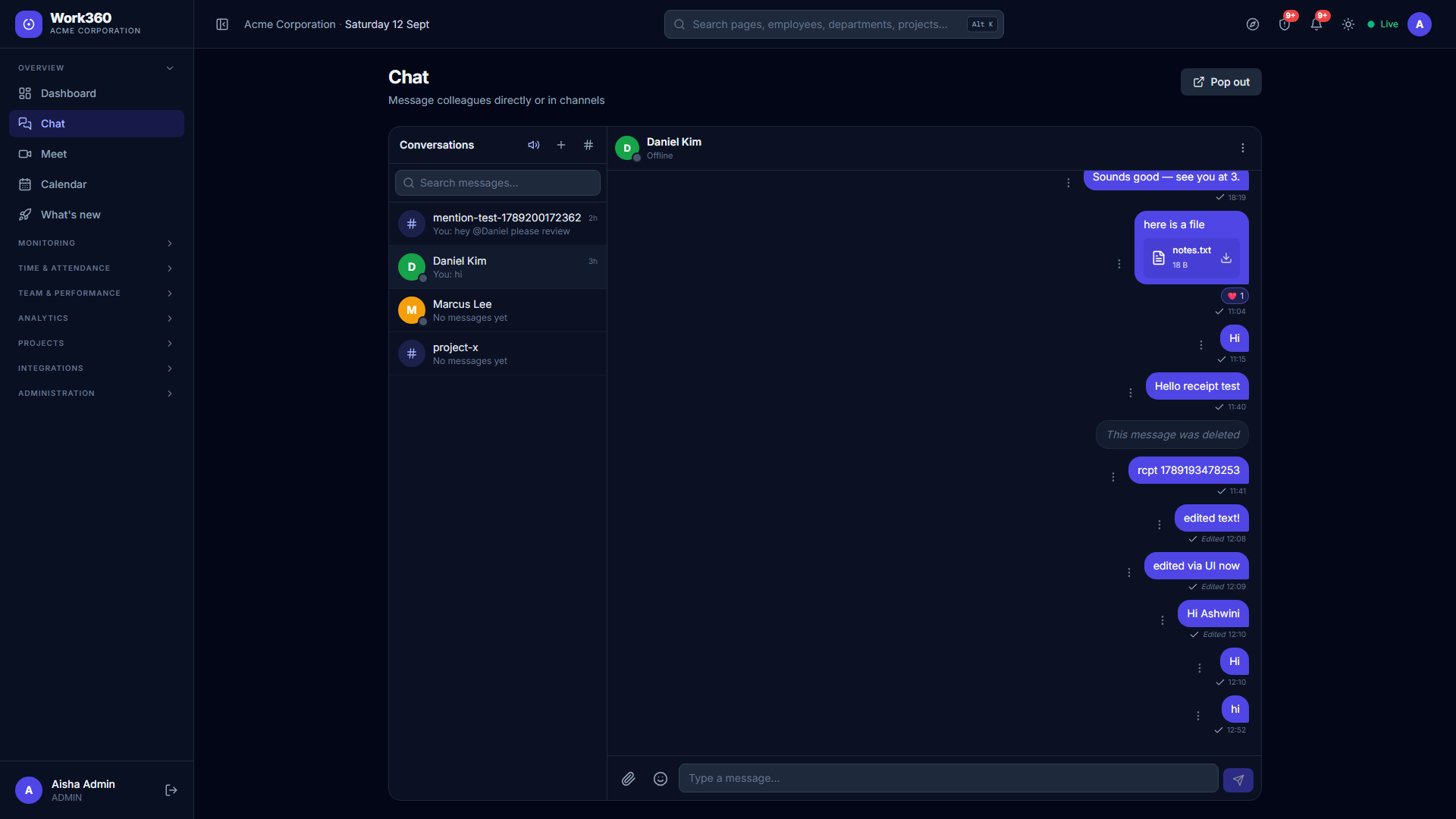
Chat the way modern teams expect — 1:1 direct messages and group channels with online/away presence, file and image attachments, emojis and reactions, typing indicators and WhatsApp-style sent / delivered / read receipts. Every message supports reply-with-quote, forward, copy, edit within a minute, delete and pin-for-everyone, and you can search across every conversation, @mention teammates in channels, mute a chat or set Do-Not-Disturb quiet hours. Pop chat out into its own always-on window and get a sound and desktop popup for anything you haven’t read.
Meet without a third-party account: start an instant video call or schedule one ahead with a title, time, agenda and invitees. Invitees get an in-app notification and an email invite with a calendar attachment, the meeting shows on everyone’s Work360 calendar, and calls run on your own self-hosted meet server (meet.work360.cloud) — guests join by link, no sign-in. Chat and Meet ship as one toggleable Communication module you enable per workspace, and every notification is governed by a per-person preferences center.
Everything included
6 capabilities, out of the box — no add-ons, no extra licences.
Direct messages & channels
Presence (online / away / offline), typing indicators, attachments, emojis and reactions.
Delivered & read receipts
WhatsApp-style single / double / blue ticks that advance live as messages are received and read.
Full message actions
Reply with quote, forward, copy, edit within a minute (marked “Edited”), delete and pin for everyone.
Search, @mentions & mute
Search across all conversations, @mention teammates in channels, mute a chat, and set Do-Not-Disturb quiet hours.
Instant & scheduled meetings
One-click calls or scheduled meetings with agenda and invitees — email + calendar invite, one-click join.
Self-hosted & private
Calls run on your own meet server; guests join by link with no account. Enable Chat & Meet per workspace.
Related features
Ready to see chat & video meetings in action?
Start a free trial and put Work360 to work across your team in minutes. No credit card to start.